Back to Blog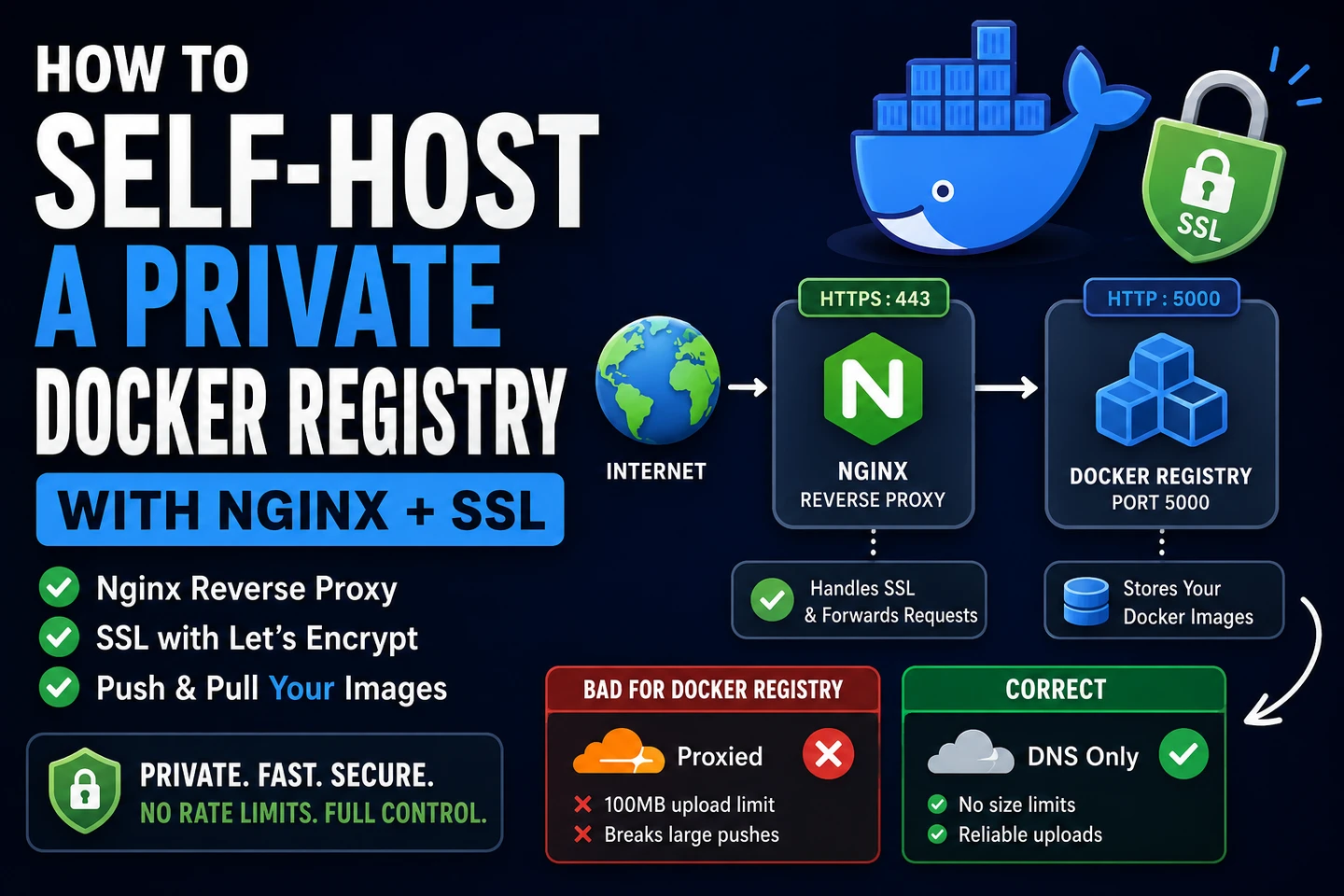
Tech
Docker
DevOps
Private Registry
Self-Hosting
How to Self-Host a Private Docker Registry: A Step-by-Step Guide
May 202610 min read
How to Self-Host a Private Docker Registry (with Nginx + SSL)
Running your own Docker registry gives you full control over your images — no rate limits, no storage fees, and no dependency on third-party services. In this guide, we'll set up a private Docker Registry v2 behind Nginx with a proper SSL certificate.
Why Self-Host?
Before jumping in, here's why you might want to run your own registry:
| Docker Hub | Self-Hosted | |
|---|---|---|
| Pull rate limit | Yes (free tier) | None |
| Storage cost | Paid per GB | Your server |
| Privacy | Public unless paid | Fully private |
| Network speed | Depends on internet | Local/internal |
| Control | Limited | Full |
If you're running a microservices setup with dozens of images — like an SSO platform with 12+ services — the cost and rate limits of cloud registries add up fast.
Prerequisites
- A Linux server (Ubuntu/Debian recommended)
- Docker & Docker Compose installed
- A domain pointing to your server (e.g.,
registry.your-company.com) - Nginx running (we'll assume it's already set up for other services)
Step 1 — Run the Registry Container
Docker Registry v2 is available as an official image. Create a docker-compose.yaml for the registry:
services:
  registry:
    image: registry:2
    container_name: registry
    restart: unless-stopped
    volumes:
      - registry_data:/var/lib/registry
    networks:
      - nginx_network

volumes:
  registry_data:

networks:
  nginx_network:
external: trueStart it:
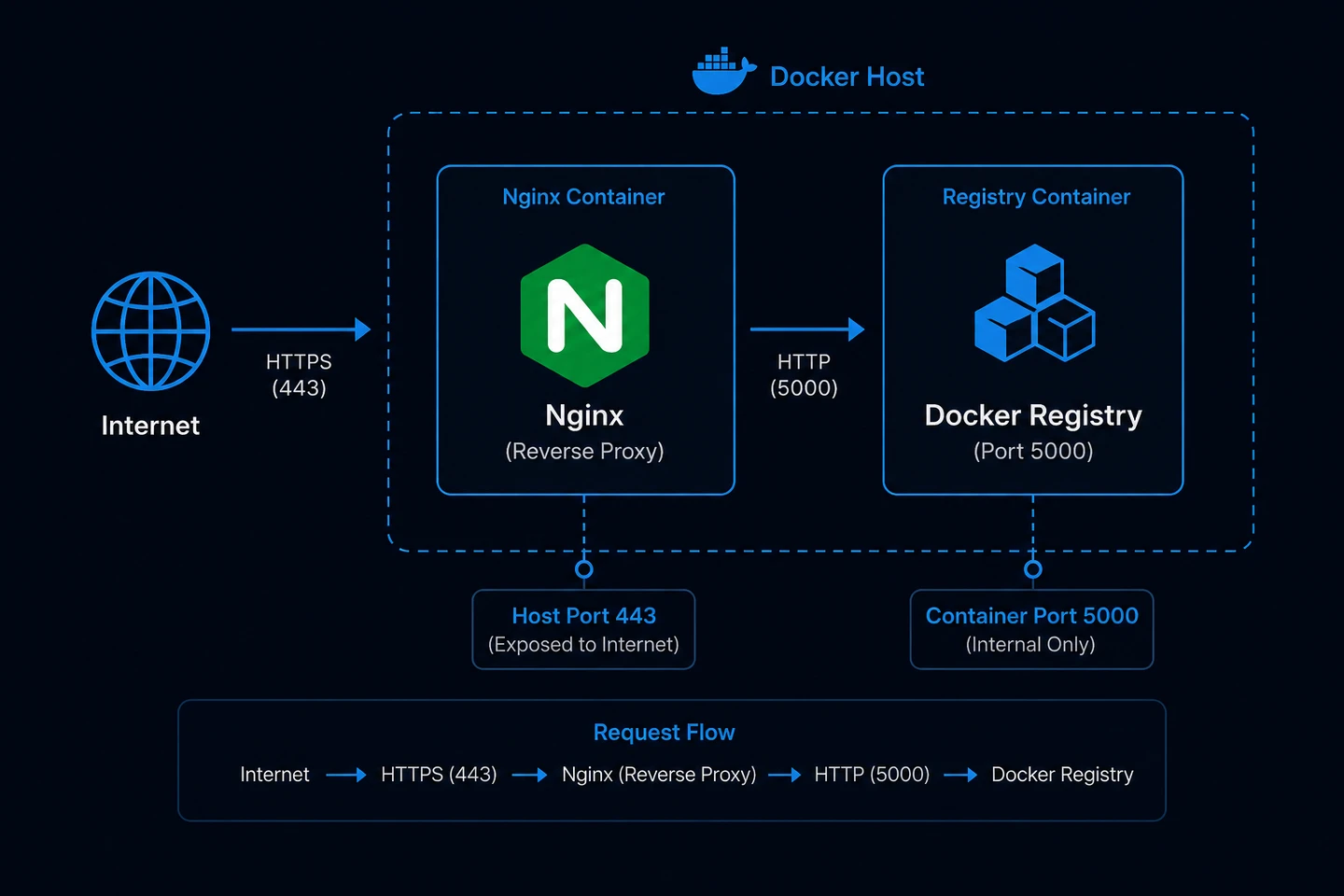
docker compose up -d registryThe registry now runs on port 5000 internally, but is not exposed to the outside yet — Nginx will handle that.
Step 2 — Configure Nginx
The registry needs specific Nginx settings to work correctly — particularly client_max_body_size 0 (no upload limit) and disabled proxy buffering for large layer uploads.
Create /etc/nginx/conf.d/registry.conf:
server {
    listen 80;
    server_name registry.your-company.com;

    # Required for certbot SSL challenge
    location /.well-known/acme-challenge/ {
        root /var/www/certbot;
    }

    location / {
        return 301 https://$host$request_uri;
    }
}

server {
    listen 443 ssl;
    server_name registry.your-company.com;

    ssl_certificate     /etc/letsencrypt/live/registry.your-company.com/fullchain.pem;
    ssl_certificate_key /etc/letsencrypt/live/registry.your-company.com/privkey.pem;

    # No upload size limit — Docker layers can be hundreds of MBs
    client_max_body_size 0;

    proxy_read_timeout    900;
    proxy_send_timeout    900;
    proxy_connect_timeout 900;

    location / {
        proxy_pass http://registry:5000;
        proxy_http_version 1.1;

        proxy_set_header Host              $host;
        proxy_set_header X-Real-IP         $remote_addr;
        proxy_set_header X-Forwarded-For   $proxy_add_x_forwarded_for;
        proxy_set_header X-Forwarded-Proto https;

        # Required header for Docker Registry v2
        proxy_set_header Docker-Distribution-Api-Version registry/2.0;

        # Critical: disable buffering for large layer uploads
        proxy_buffering         off;
        proxy_request_buffering off;
        chunked_transfer_encoding on;
    }
}Important:
proxy_buffering offandproxy_request_buffering offare critical. Without these, Nginx will try to buffer large Docker layers in memory/disk before forwarding — causing broken pipe errors and500responses on large pushes.
Step 3 — Get an SSL Certificate
We'll use Certbot with the webroot method so Nginx doesn't need to stop.
Make sure Nginx is running and serving the /.well-known/acme-challenge/ path (already configured above), then run:
docker run --rm \
  -v /path/to/certbot/conf:/etc/letsencrypt \
  -v /path/to/certbot/www:/var/www/certbot \
  certbot/certbot certonly \
  --webroot -w /var/www/certbot \
  --email [email protected] \
  -d registry.your-company.com \
--agree-tosCertbot stores certificates as symlinks pointing to the archive/ directory:
live/registry.your-company.com/
├── fullchain.pem  →  ../../archive/registry.your-company.com/fullchain1.pem
├── privkey.pem    →  ../../archive/registry.your-company.com/privkey1.pem
└── ...
If Nginx runs in Docker, you must mount both directories — otherwise the symlinks resolve to dead paths inside the container:
volumes:
  - /path/to/certbot/conf/live/registry.your-company.com:/etc/letsencrypt/live/registry.your-company.com:ro
- /path/to/certbot/conf/archive/registry.your-company.com:/etc/letsencrypt/archive/registry.your-company.com:roReload Nginx:
docker exec nginx nginx -s reloadStep 4 — A Note on Cloudflare
If your domain uses Cloudflare, do not proxy the registry subdomain (keep the orange cloud off for registry.your-company.com).
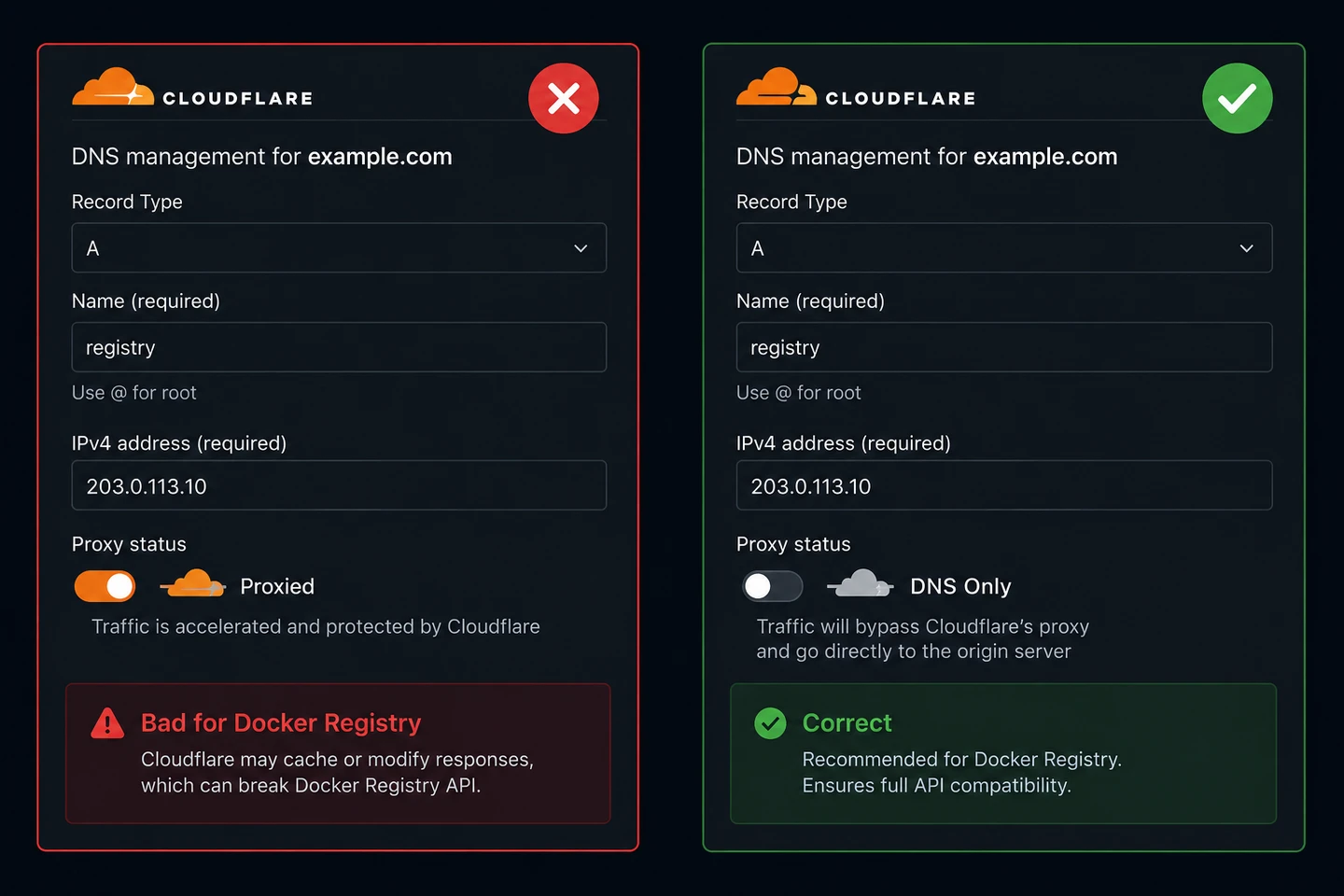
Cloudflare's proxy introduces two problems for Docker registries:
- Upload size limit — Free and Pro plans cap request bodies at 100MB. Docker image layers frequently exceed this, causing
500errors mid-push with abroken pipe. - Chunked transfer interference — Docker's push protocol uses chunked HTTP uploads that Cloudflare's proxy can interrupt.
Set the registry DNS record to DNS Only (grey cloud). Your other domains can remain proxied — this only affects the registry subdomain.
Step 5 — Push and Pull Images
Test that the registry is reachable:
curl -s https://registry.your-company.com/v2/
# Expected: {}Tag and push an image:
docker tag my-app:latest registry.your-company.com/my-org/my-app:v1.0.0
docker push registry.your-company.com/my-org/my-app:v1.0.0List all repositories:
curl -s https://registry.your-company.com/v2/_catalog | jq .List tags for a specific image:
curl -s https://registry.your-company.com/v2/my-org/my-app/tags/list | jq .Step 6 — Add Authentication (Optional but Recommended)
By default, the registry is open to anyone who can reach it. Add basic auth:
# Generate htpasswd credentials
docker run --rm --entrypoint htpasswd httpd:2 -Bbn username password > auth/htpasswdUpdate docker-compose.yaml:
registry:
  image: registry:2
  environment:
    REGISTRY_AUTH: htpasswd
    REGISTRY_AUTH_HTPASSWD_REALM: Registry Realm
    REGISTRY_AUTH_HTPASSWD_PATH: /auth/htpasswd
  volumes:
    - ./auth:/auth
- registry_data:/var/lib/registryLogin before pushing:
docker login registry.your-company.comCommon Issues & Fixes
500 broken pipe when pushing large layers
- Cause: Cloudflare proxy is intercepting the upload (100MB limit)
- Fix: Set registry DNS to DNS Only in Cloudflare
no such file or directory for SSL cert in Docker
- Cause: Certbot certs are symlinks — only mounting
live/breaks them - Fix: Also mount the
archive/directory
unsupported platform in Docker Swarm
- Cause: Image was built on ARM (Apple Silicon Mac) but server is amd64
- Fix: Build with
docker buildx build --platform linux/amd64or build directly on the server
no such host DNS error in Swarm
- Cause: Race condition — service started before Swarm DNS propagated
- Fix:
docker service update --force <service>
Wrapping Up
A self-hosted Docker registry is straightforward to set up and pays off quickly when you're managing multiple private images. The key gotchas are:
- Cloudflare proxy must be disabled for the registry domain
- SSL symlinks require mounting both
live/andarchive/in Docker client_max_body_size 0is non-negotiable for large image pushes- Build platform must match your server architecture
With this setup, you get a fast, private registry with no rate limits — ready for use with Docker Compose, Docker Swarm, or any CI/CD pipeline.